Views around your site
Plan the camera views that matter: the main entry, parking area, pedestrian entrance or service yard.
Bring compatible camera views into the same MagicKeys workspace as your connected entrances. Discuss the zones, visibility and optional Sentinel alerts that support your team’s day-to-day oversight.
YOUR SITE / YOUR CONFIGURATION
Your team should be able to understand which entrance it is managing and the visual context available for that area.
Plan the camera views that matter: the main entry, parking area, pedestrian entrance or service yard.
Arrange included camera views and gate controls around the way your operators work.
We assess camera compatibility and the available connection method before confirming what can be brought into MagicKeys.
Eyes on the zones
that matter to your team.
Connect compatible cameras and configured detection events with a clearer staff prompt: what was flagged, where it happened and the image to review.
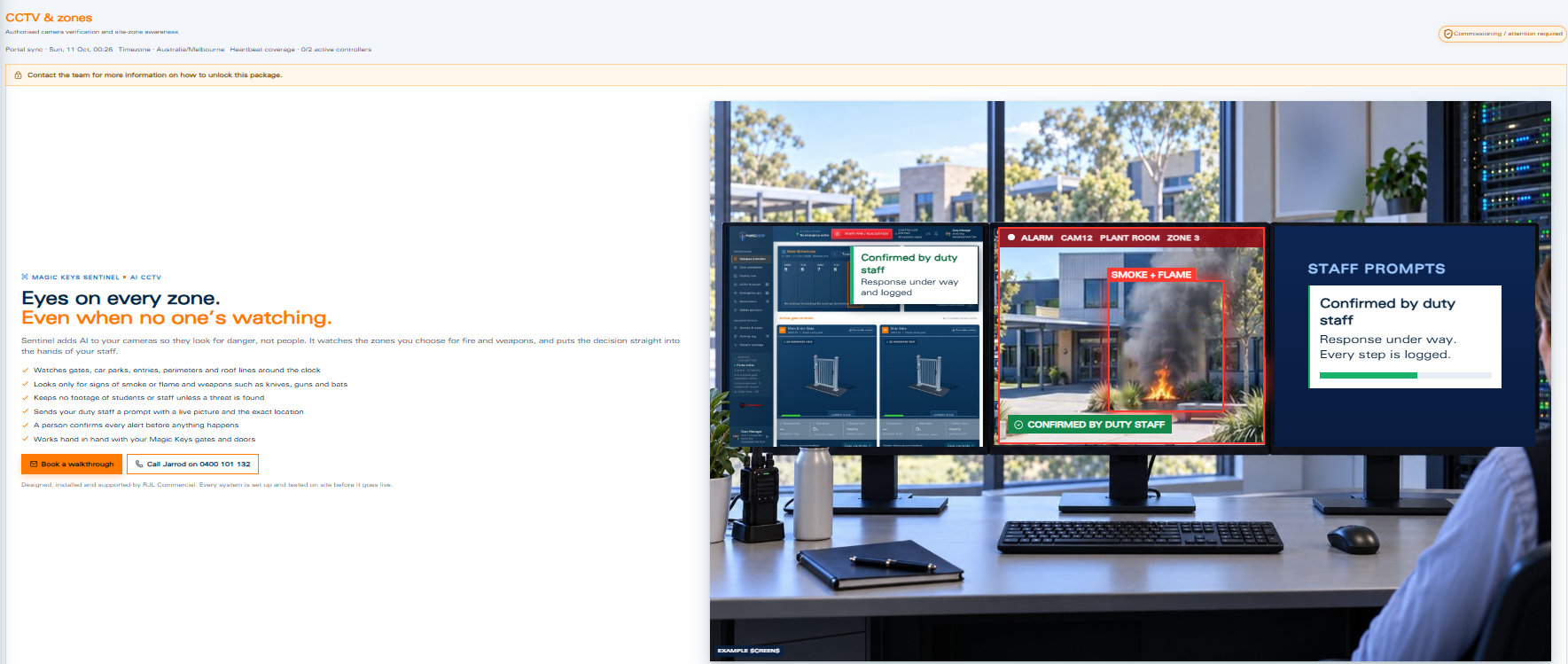
Sentinel is an optional package, tailored to compatible equipment and the events agreed for your site.
Review the cameras, viewing areas and the site’s monitoring responsibilities. Existing hardware is considered as part of the proposal.
Discuss which supported events need a staff prompt, who should receive it and what visual context they need.
Nominated staff review the context and follow the agreed response. AI-assisted threat and fire detection is a separate capability currently in development.
Share your existing cameras and the areas your team needs to see. We will assess the CCTV setup and tailor the workspace around it.